
Getting Started — Student Guide
Welcome to your academy portal. This guide explains everything you need to access your resources and complete your work.
Joining Your Academy
Your mentor will send you an invitation email with a link to your academy portal (e.g. sarah-maths.menteo.co).
Sign Up
- Click the link in your invitation email
- Click Create Account
- Fill in:
- Full Name
- Email Address (use the one the invitation was sent to)
- Password — at least 8 characters
- Click Create Account
Your mentor may need to approve your request before you gain full access. You'll receive an email once approved.
Logging In
- Go to your academy's web address (e.g.
sarah-maths.menteo.co) - Click Sign In
- Enter your email and password
- Click Sign In
Forgot your password?
Click Forgot password? on the login page. A reset link will be sent to your email within 2 minutes.
Guest Access
Some academies allow guest access — you can browse public quizzes, past papers, and videos without signing up. Look for the Browse as Guest option on the login page.
Your Dashboard
After logging in you'll see your dashboard:
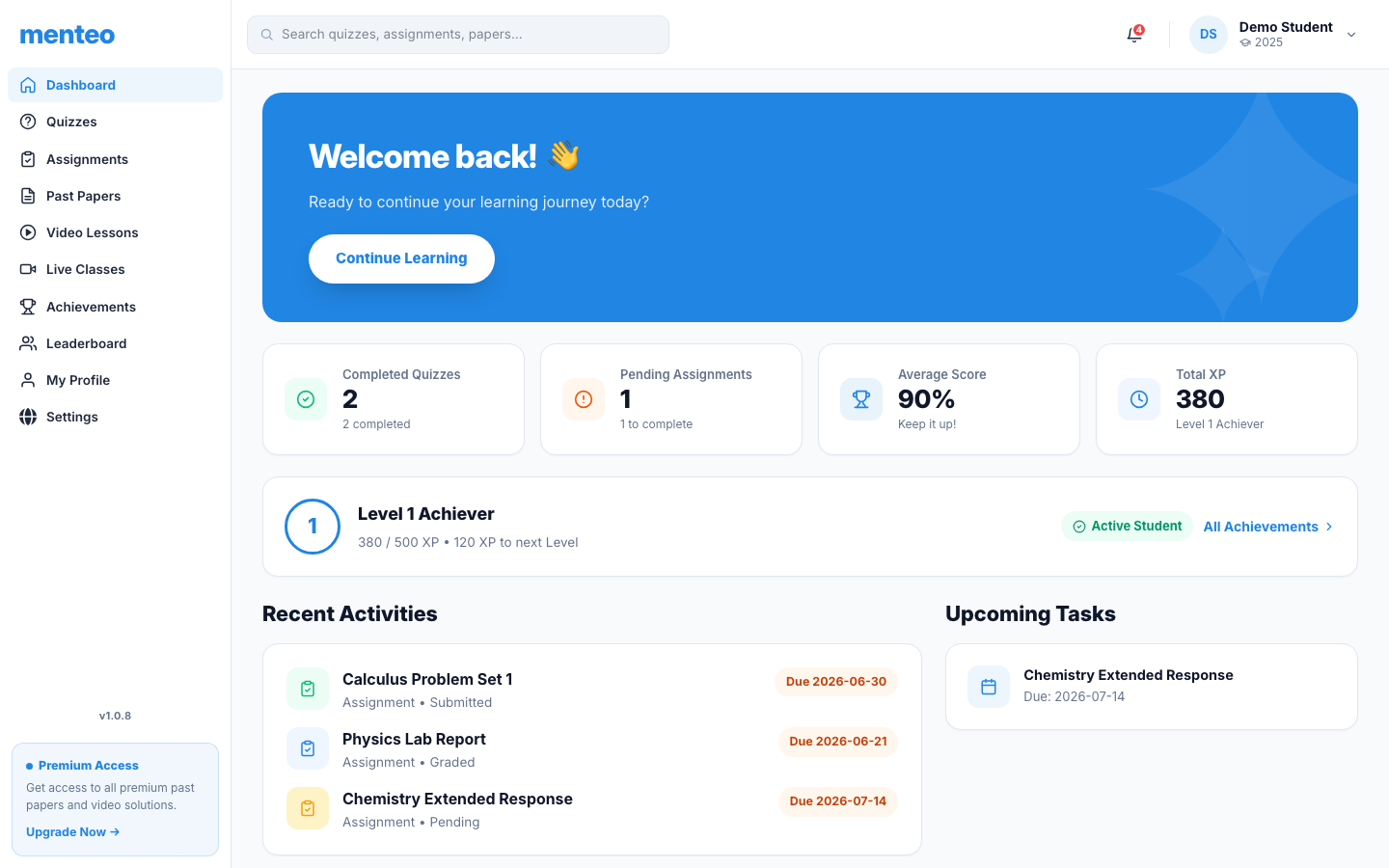
| Section | What you'll find |
|---|---|
| Home | Upcoming classes, recent activity, announcements |
| Quizzes | Auto-graded multiple-choice tests |
| Assessments | PDF-based assessments you submit for grading |
| Past Papers | Exam papers for revision |
| Videos | Recorded lessons |
| Live Classes | Scheduled Zoom sessions |
Use the sidebar on the left to navigate between sections.
Notifications
Click the 🔔 bell icon in the top-right to see:
- New quizzes and assessments published
- Your grades when an assessment is marked
- Upcoming class reminders
- Messages from your mentor