
Settings & Billing
Basic Details
Go to Settings → Basic Details to update:
| Setting | Description |
|---|---|
| Academy Name | Shown at the top of the student portal |
| Web Address | yourname.menteo.co |
| Category | Tuition / Tutoring / Test Prep |
| Phone | Displayed on the student portal |
| Bio | Tell students about yourself |
| Profile Photo | Your avatar shown across the platform |
Branding (Pro Plan)
Go to Settings → Branding to customise:
- Logo — PNG or SVG, max 2 MB — shown in the student portal header
- Primary Colour — Applies to buttons and links
- Accent Colour — Secondary highlights
Your student portal reflects your brand — not a generic platform.
Billing & Plan
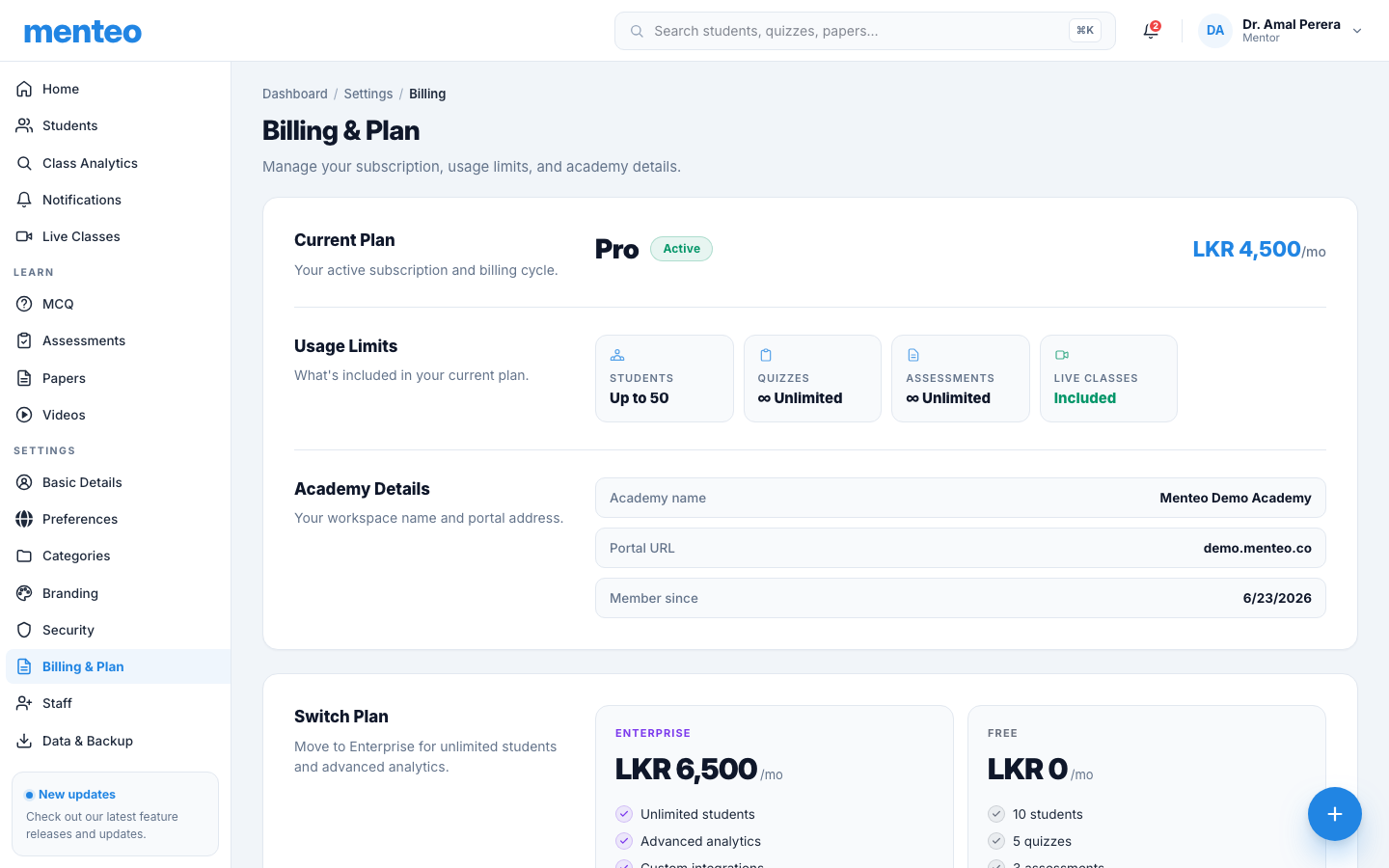
Go to Settings → Billing & Plan:
| Plan | Students | Assessments | Price |
|---|---|---|---|
| Free | 10 | 3 | Free |
| Pro | 50 | Unlimited | See pricing page |
| Enterprise | Unlimited | Unlimited | See pricing page |
Prices are shown in your local currency on the pricing page and at checkout.
To upgrade:
- Click Upgrade to Pro or Upgrade to Enterprise
- Review features and pricing
- Enter your payment details
- Paid plans include a 14-day free trial — no charge until the trial ends
To cancel:
- Click Cancel Plan
- You keep full access until your next renewal date
- No refunds for partial months
Security
Go to Settings → Security to:
- Change your password
- View active sessions — see all devices you're logged in on
- Log out all other devices — revoke access everywhere else
- View login history — recent sign-in activity
Notifications
Go to Settings → Notifications to control which events trigger emails and in-app alerts:
| Event | Default |
|---|---|
| New student registration | On |
| Assessment submitted | On |
| Quiz completed | Off |
Data & Backup
Go to Settings → Data & Backup to:
- Export Data — Download a full JSON backup of your academy
- Import Data — Restore from a previous backup
- Scheduled Backup — Auto-email a backup file daily, weekly, or monthly
See the Data & Backup guide for full details.
Deleting Your Academy
Go to Settings → Basic Details → scroll to the bottom → click Delete Academy.
DANGER
All data (students, quizzes, assessments, past papers, videos) is permanently removed. This cannot be undone.
FAQ
Can I change my web address? Yes — go to Settings → Basic Details and edit the Web Address field (Pro plan).
What payment methods are accepted? Credit/debit cards (Visa, Mastercard), UPI, and bank transfer depending on your region.
Can I upgrade or downgrade anytime? Yes — changes take effect immediately and are pro-rated.
I forgot my password. Click "Forgot password?" on the login page. A reset link is emailed within 2 minutes.